Chat
Private AI chat
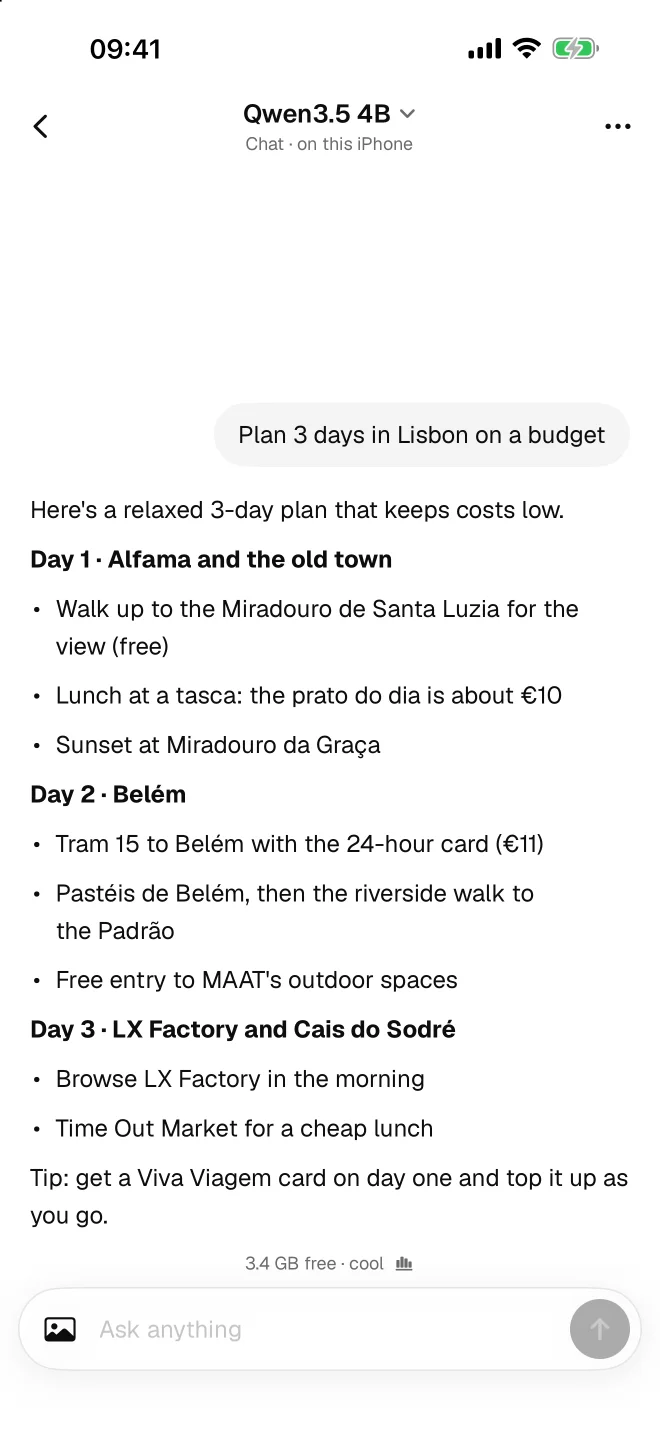
Chat with the language model you choose. It runs on your iPhone, so the conversation stays on your iPhone, even in airplane mode.
- Models you pick
- Works offline
- Stored on device

Talk to Rock. It won't tell anyone.
Private AI that runs entirely on your iPhone. Rock runs language models like Qwen3.5 and Bonsai 27B on the phone itself: chat, code and make images offline. Nothing you type leaves it.
Chat, a coding agent, image generation and the models behind them. Every one runs on the device.
Chat
Chat with the language model you choose. It runs on your iPhone, so the conversation stays on your iPhone, even in airplane mode.
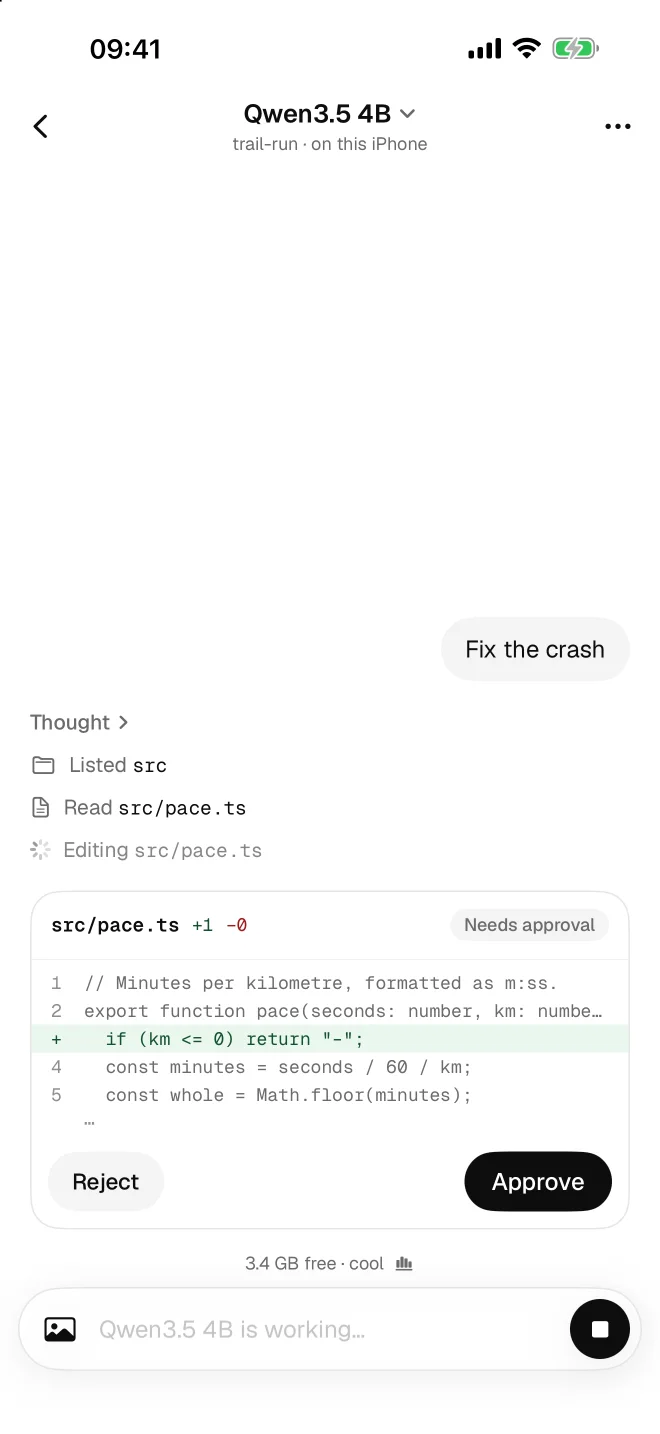
Code
The agent reads and edits files in projects on your iPhone. Every edit is shown as a diff that you approve. Connect GitHub if you want it to clone repositories and open pull requests.
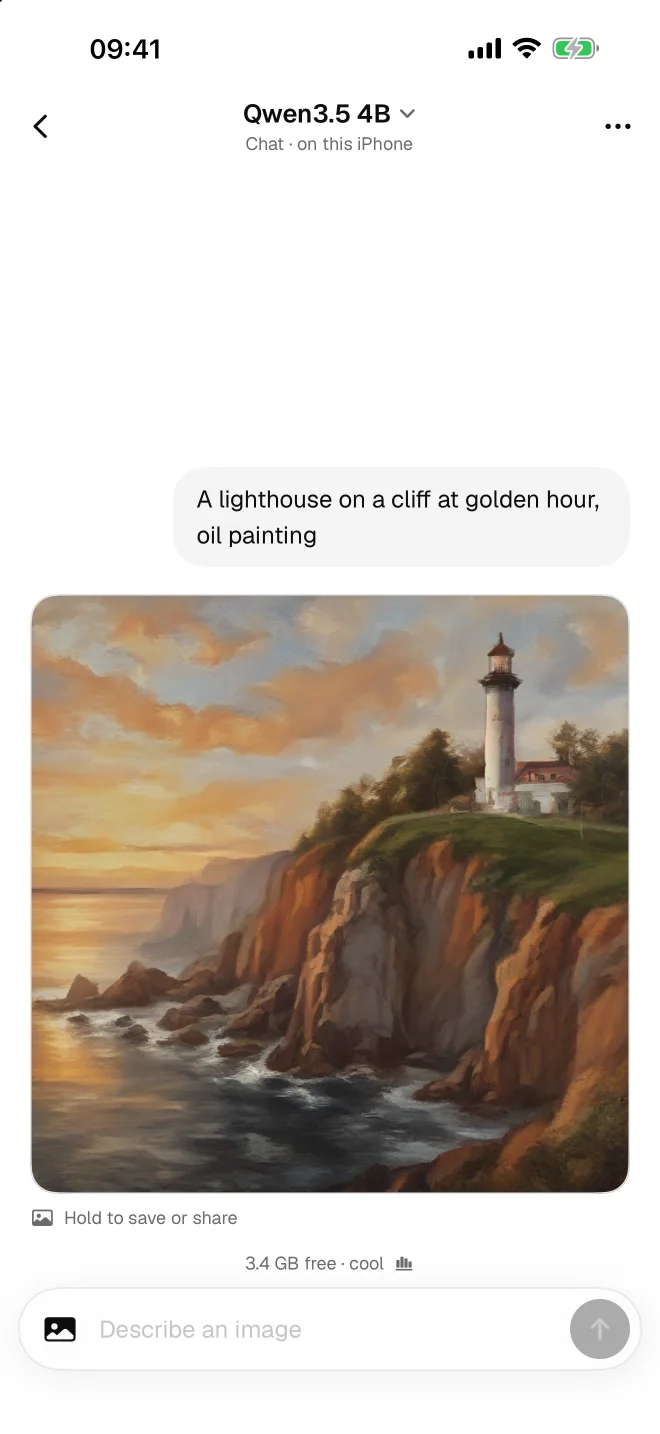
Images
Generate 512×512 images in seconds with SD-Turbo and SDXL-Turbo by Stability AI. Image generation runs on the device, like everything else.
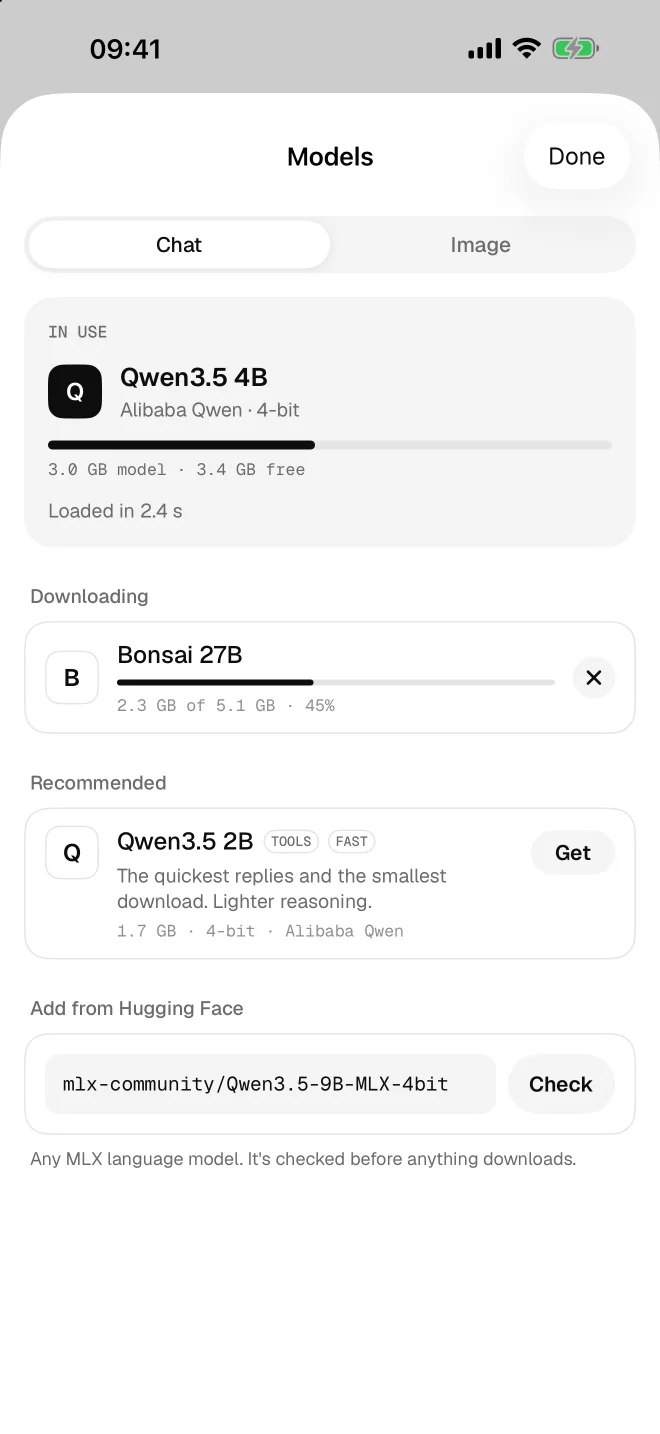
Models
Download any MLX language model from Hugging Face by name. Rock checks its size and memory fit before anything downloads, and downloads continue in the background.
Not a setting. There is simply nowhere for your data to go.
Models run on the device with Apple's MLX. Chats, prompts, images and project files are processed and stored on your iPhone.
There is no Rock server that receives your chats, prompts, images or files. There is nothing to upload them to.
There is nothing to sign up for and nothing to log in to.
No analytics, no ads, no tracking, in the app or on this website.
Once a model is on your iPhone, Rock works without an internet connection.
Hugging Face when you download a model, and GitHub only if you connect it. Nothing else is sent.
Start with a suggestion, or download any MLX language model on Hugging Face by name.
The best everyday choice for chat and code
3.0 GBThe quickest replies and the smallest download
1.7 GBThe strongest reasoning that fits on a phone
5.1 GBFast and light
2.6 GBSharper detail
7.0 GBRock is a free iPhone app that runs AI models entirely on the device. It offers private AI chat, a coding agent that edits files in projects on your iPhone, on-device image generation and live device stats.
Yes. After you download a model, Rock works fully offline. You only need an internet connection to download models and, if you connect it, to use GitHub.
Nothing you type leaves your iPhone. Chats, prompts, images and project files are processed and stored on the device, and there is no Rock server that receives them. Rock has no account, no analytics, no ads and no tracking. It only connects to Hugging Face when you download a model, and to GitHub if you choose to connect it.
Rock needs an iPhone 15 Pro or later, with 8 GB of memory, running iOS 26 or later. Newer Pro models run larger models faster.
Any MLX language model on Hugging Face: type its name and Rock downloads it. Suggested models are Qwen3.5 4B (3.0 GB), Qwen3.5 2B (1.7 GB) and Bonsai 27B 1-bit by PrismML (5.1 GB). Rock checks every model for size and memory fit before it downloads.
Yes. Rock generates 512×512 images on your iPhone in seconds with SD-Turbo and SDXL-Turbo by Stability AI.
Yes. The coding agent reads and edits files in projects on your iPhone and shows every edit as a diff for you to approve. If you connect GitHub, it can also clone repositories and open pull requests. GitHub is optional.
Yes. Rock is free, with no account and no ads.
It depends on the model. Qwen3.5 2B is 1.7 GB, Qwen3.5 4B is 3.0 GB and Bonsai 27B 1-bit is 5.1 GB. Models are stored on your iPhone and excluded from iCloud backup, and you can delete one at any time.
Free, private and offline.